
AI Christmas Photo Ideas: 4 Ways to Turn a Photo into a Holiday Picture
Four AI Christmas photo ideas with real examples — a family baking, a pet in a Santa hat, friends in matching sweaters, a snowy market — and how to make your own, print it, or animate it into a video.
A Christmas photo is the December ritual: the family shot for the card, the pet in a Santa hat, the group picture in matching sweaters. AI Christmas photo tools let you make one from a photo you already have — no studio, no costumes, no reshoot. Upload a picture, describe the holiday scene, and the model restyles it while keeping the people and poses.
These are four real examples, made on AI Trend Studio. Each one shows the exact prompt behind it, so you can reuse it on your own photo.
1. Family baking in a decorated kitchen
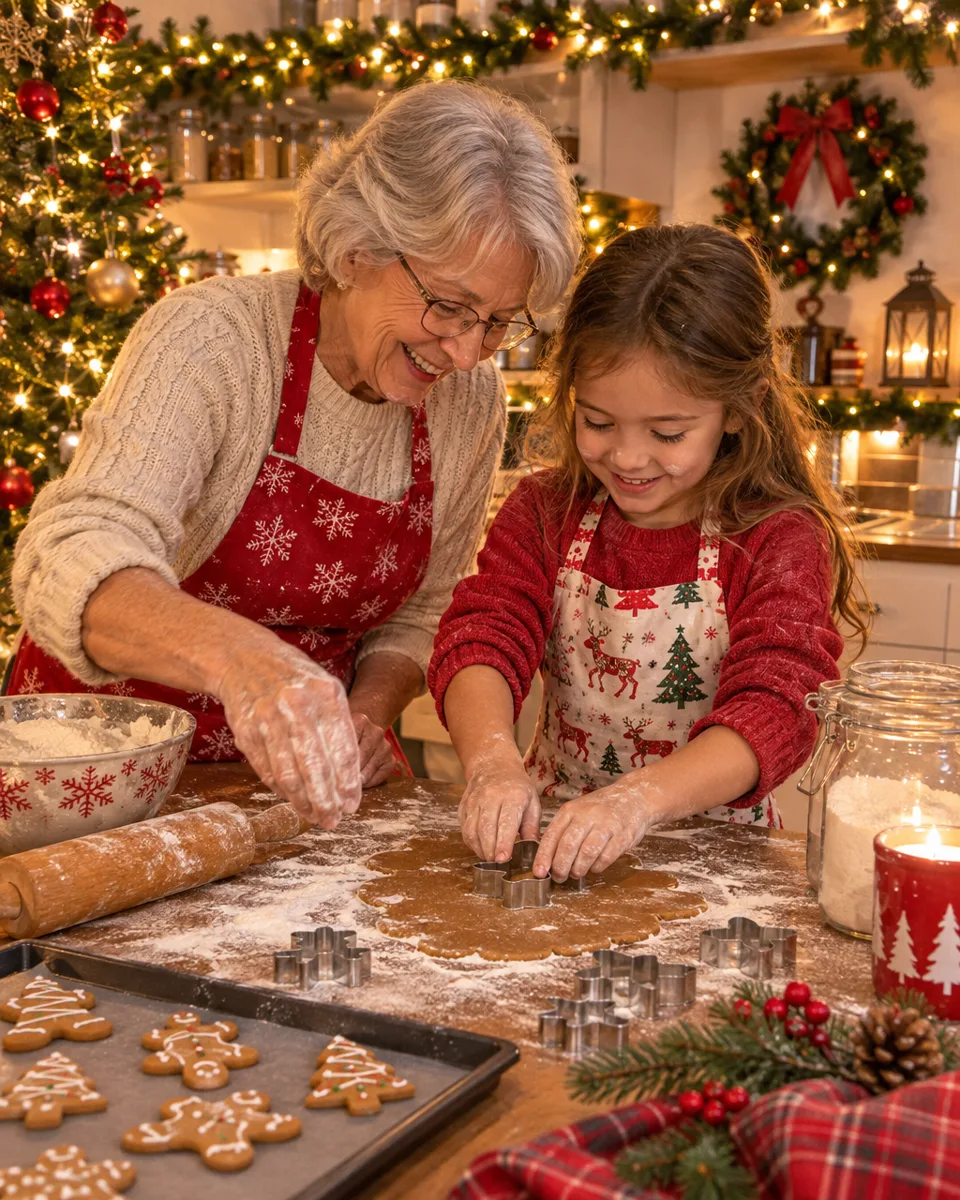
A grandmother and granddaughter baking gingerbread cookies, in a kitchen dressed with garlands and fairy lights. The warmth is the point: cozy evening light, a lived-in room, everyone still recognisably themselves.
AI Christmas photo: grandmother and granddaughter baking gingerbread cookies in a decorated kitchen
"Turn this into a Christmas photo: the two of them baking gingerbread cookies in a kitchen decorated with garlands and fairy lights, cozy evening light. Keep every face and pose the same."
This is the classic Christmas card shot. Start from a real family photo — the model keeps the faces and poses and changes the room, the outfits and the light. If the card needs a greeting, put it in quotes in the prompt, for example "Merry Christmas from the Parkers", and it is lettered onto the picture.
2. A pet in a Santa hat
Pets are the easiest Christmas photo to get right: one subject, a simple scene, and the result is immediately shareable. A ginger cat in a Santa hat, sitting in an open gift box with a decorated tree behind it.
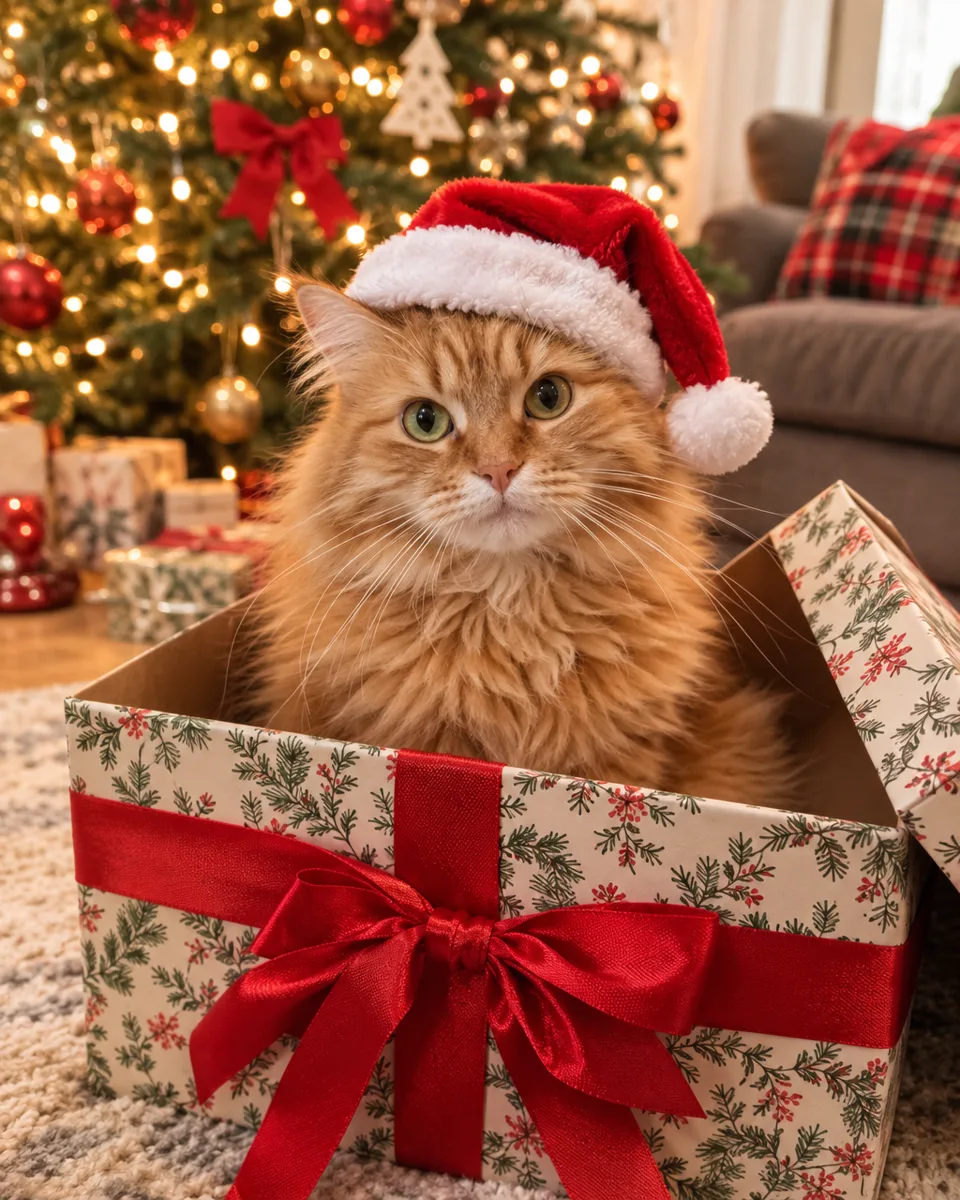 AI Christmas photo: ginger cat in a Santa hat sitting in a gift box
"Turn this pet photo into a Christmas photo: a little Santa hat, sitting in an open gift box, a decorated tree and warm fairy lights behind."
Use a clear, front-facing photo of the pet. The same idea works for a dog by the fireplace or a cat under the tree — one subject, one prop, one background.
3. Friends in matching sweaters
The group shot: friends in matching Christmas sweaters, toasting with hot cocoa by a decorated tree. Matching sweaters are the tell — the model dresses everyone in the same pattern, which is what makes a group photo read as "Christmas" at a glance.
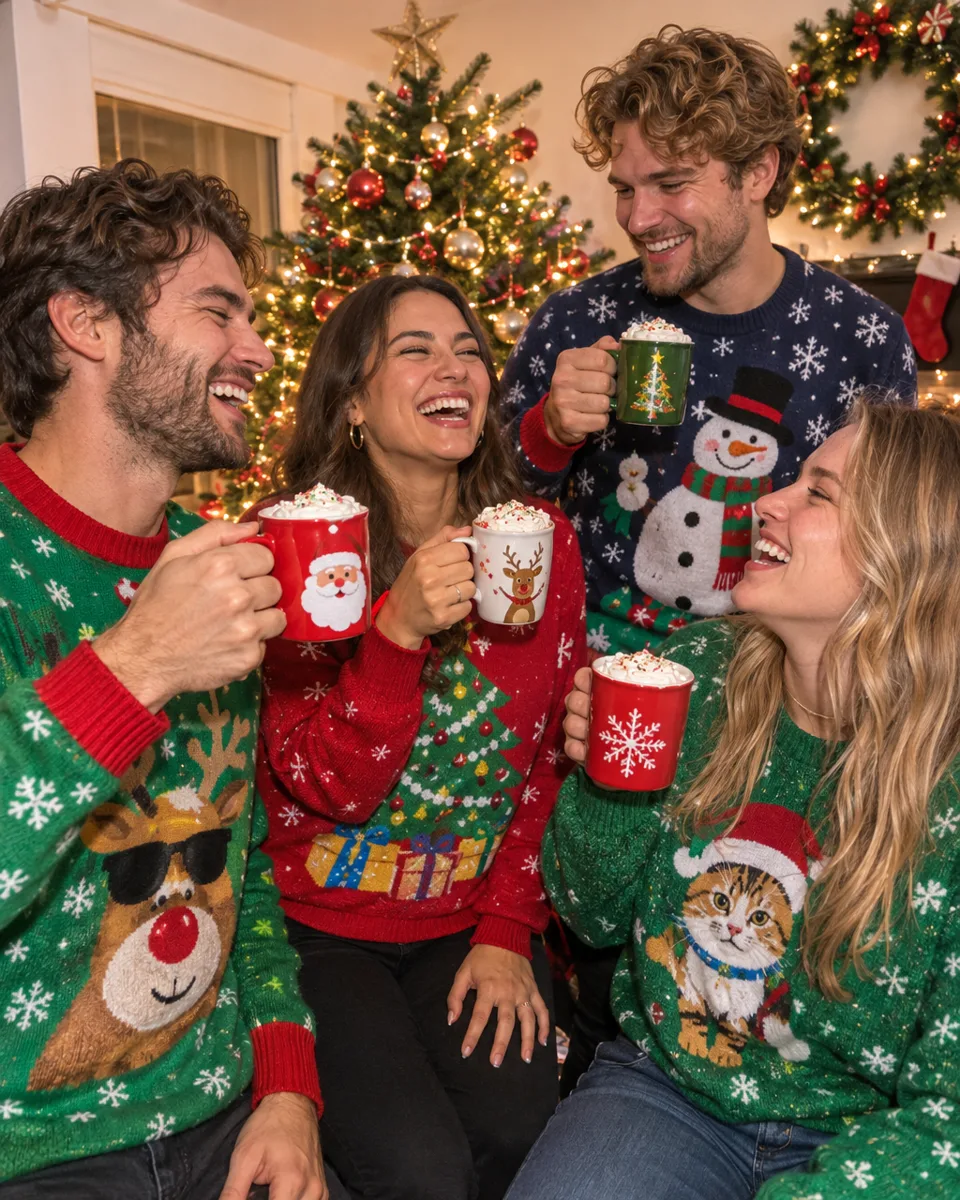 AI Christmas photo: friends in Christmas sweaters toasting with hot cocoa by a tree
"Turn this into a Christmas photo: the friends in matching Christmas sweaters toasting with mugs of hot cocoa by a decorated tree. Keep every face and pose the same."
For groups, faces can drift a little — ask to keep every face the same and generate a couple of versions, then pick the one where everyone still looks like themselves.
4. A snowy Christmas market
A single person in a red coat, catching snowflakes at a Christmas market with lit stalls behind. This is the one to use when the photo itself is the card: a strong subject, a simple background, and snow doing the festive work.
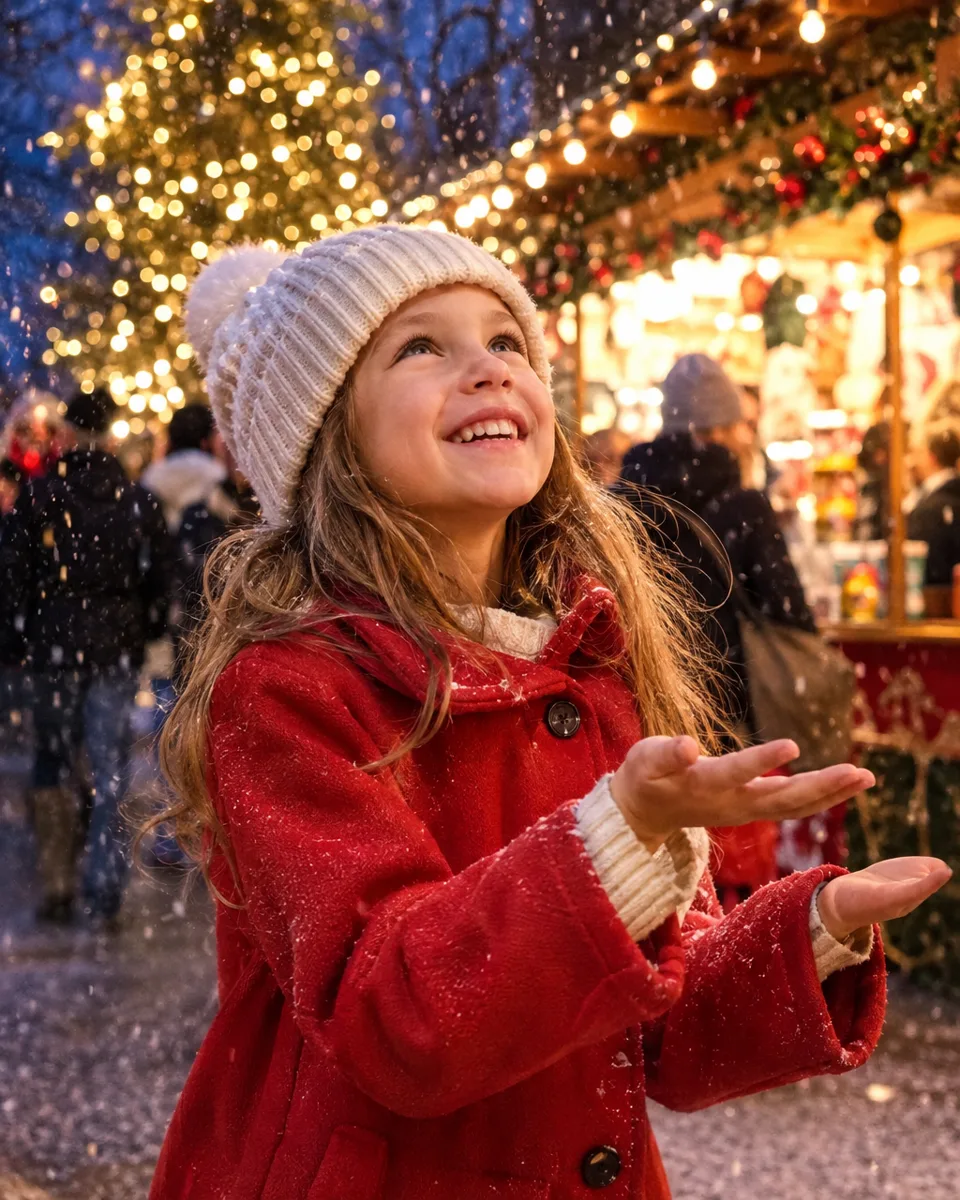 AI Christmas photo: girl in a red coat catching snowflakes at a Christmas market
"Turn this into a Christmas photo: a red coat, snowflakes falling, a Christmas market with lit stalls behind. Keep the face and pose the same."
How to make your own
- Upload a clear photo. Every face visible, front-facing, well lit. A family shot, a selfie or your pet all work.
- Describe one scene. Who is in it, what they wear, what is behind them. One scene beats three ideas at once.
- Put the greeting in quotes. If the picture needs words on it, write the exact greeting in quotes in the prompt. Keep it short and check the spelling before you print — lettering is where image models slip most often.
- Generate a few versions. Faces in a group and lettering both vary from one render to the next. Pick the best take.
An image costs from 1 credit on the default model at 1K, and the price shows before you send. Download it at 2K or 4K if you plan to print it.
Turn it into a video
A still Christmas photo can become a moving card: the tree lights twinkle, snow falls, a pet wags its tail. Make the photo first, then animate it with AI Christmas Video or Photo to Video. A video costs from 3 credits, and the models with sound can add jingle bells or a Santa greeting.
Start from one of the four ideas above, or make your own on the AI Christmas Photo page.
Related posts
Seedance vs Kling vs MiniMax: Which AI Video Model Should You Pick?
Same prompt, three model families: how Seedance 2.5, Kling V4 and MiniMax H3 compare on length, resolution, audio, first and last frames and price — and which one fits your clip.
How to Edit AI Videos by Chatting
Describe the shot, pick a model, and refine the result in chat — no timeline, no prompt engineering. How chat-based AI video editing works on AI Trend Studio.
Best AI Video Generator for Image to Video
Turn a still photo into a moving clip: what to look for in an image-to-video generator — first and last frames, motion control, length, audio and price — and how AI Trend Studio handles it.