
AI video tool
AI Product Video Generator: Turn a Product Photo into a Video Ad
Upload a product shot and describe the ad: a slow orbit around a perfume bottle, a sneaker landing on concrete, sunlight drifting across a serum. The studio uses your photo as the opening frame, so the clip starts from your real product, and adds motion and a soundtrack.
Type a prompt or upload a photo. We'll take it to the studio.
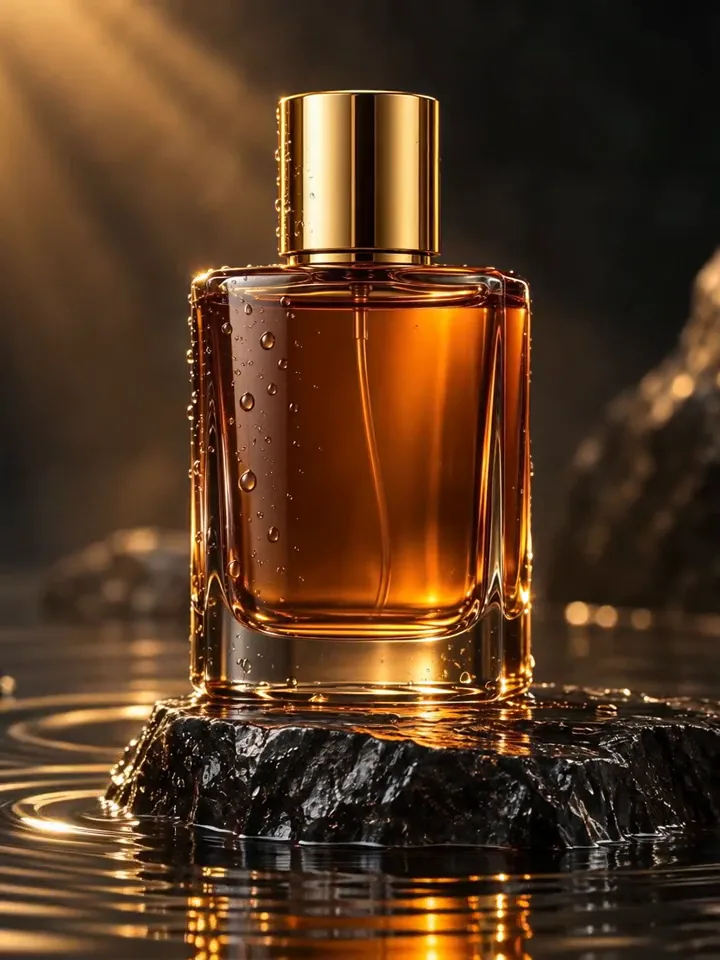
People shown are AI-generated and fictional. Samples were made with AI Trend Studio.
- You bring
- A product photo, or a written description of the product and scene
- You get
- A clip with sound, 3–30 seconds depending on the model
- Runs on
- 10 video models, MiniMax H3 by default
- Price
- From 3 credits a clip, shown before you send
AI Product Video Generator examples
People shown are AI-generated and fictional. Samples were made with AI Trend Studio.
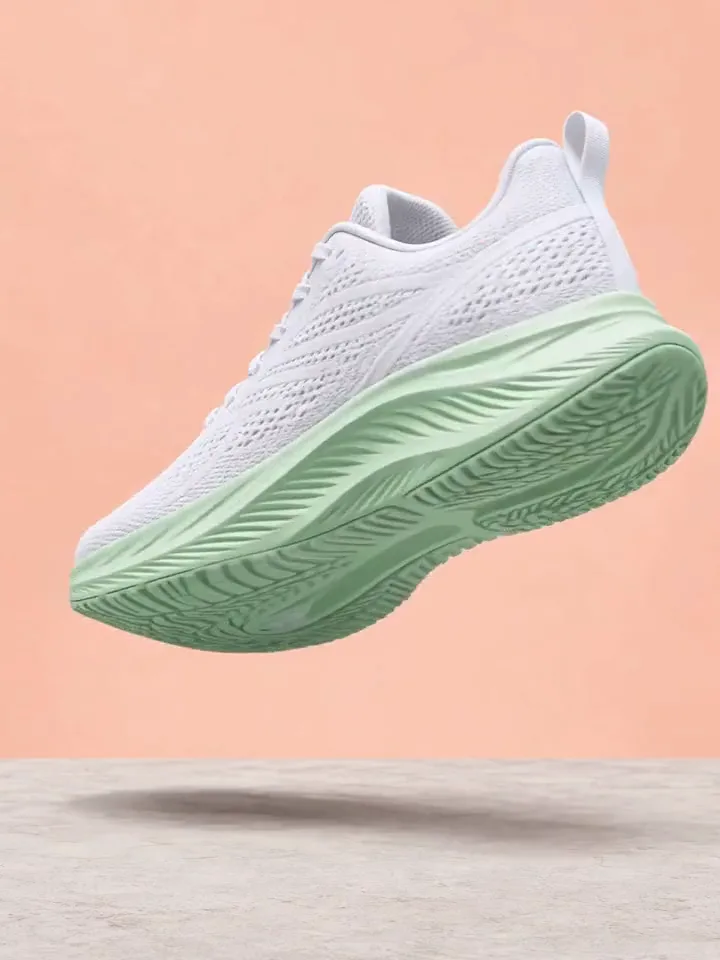
AI product video sample: white running sneaker with a mint sole above a concrete floor (AI-generated)
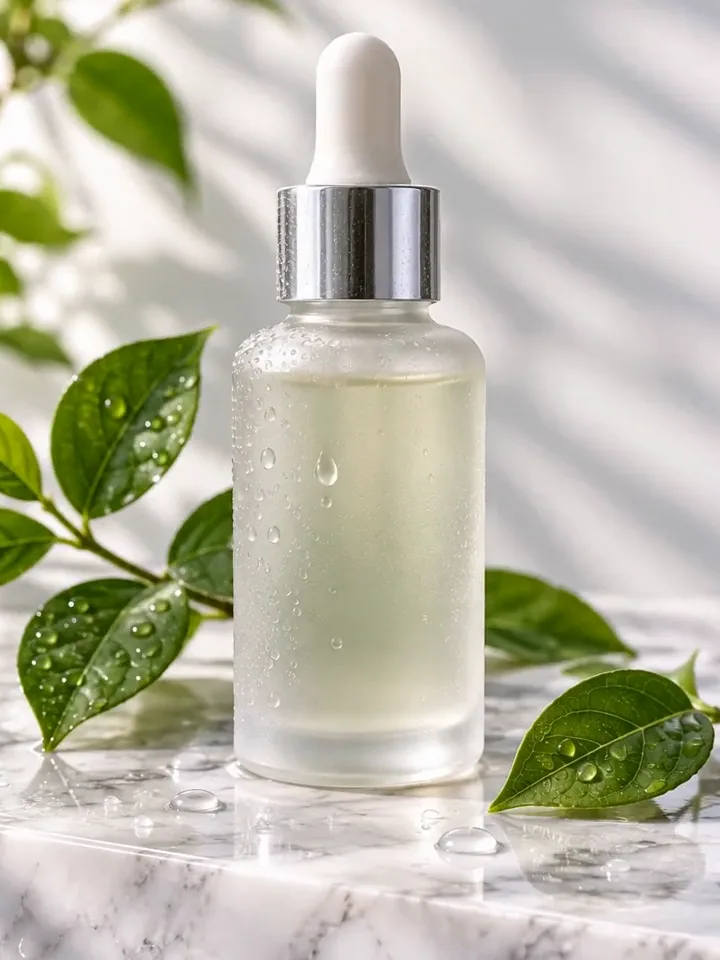
AI product video sample: frosted serum bottle with a dropper on white marble with green leaves (AI-generated)
Try AI Product Video Generator now
Start from a ready-made prompt and see the price before you send. You sign in before your first render.
Models you can use for AI Product Video
Pick a model per request in the composer, or keep the default. Open a model to see its own examples and limits.
| Model | Clip length | Resolution | Inputs | Credits per 5 s |
|---|---|---|---|---|
| MiniMax H3 | 4–15 seconds | 768P, 2K | Up to 2 (first and last frame) | 768P 10 · 2K 17 |
| MiniMax H3 Max | 5–15 seconds | 480P, 768P, 1080P | Up to 2 (first and last frame) | 480P 9 · 768P 10 · 1080P 22 |
| Seedance 2.5 | 4–30 seconds | 480p, 720p, 1080p | Up to 2 (first and last frame) | 480p 17 · 720p 35 · 1080p 85 |
| Seedance 2.0 | 4–15 seconds | 480p, 720p, 1080p | Up to 2 (first and last frame) | 480p 12 · 720p 24 · 1080p 57 |
| Seedance 2.0 Fast | 4–15 seconds | 480p, 720p | Up to 2 (first and last frame) | 480p 9 · 720p 15 |
| Seedance 2.0 Mini | 4–15 seconds | 480p, 720p | Up to 2 (first and last frame) | 480p 5 · 720p 9 |
| Kling V4 | 3–30 seconds | 720p, 1080p | Up to 2 (first and last frame) | 720p 24 · 1080p 35 |
| Kling V4 Flash | 3–20 seconds | 720p | 1 (opening frame) | 720p 15 |
| Gemini Omni 1.2 Flash | 3–15 seconds | 720p, 1080p, 4K | 1 (opening frame) | 720p 5 · 1080p 5 · 4K 10 |
| Muse | 10 seconds | 720p | 1 (reference) | 10 s clip: 5 credits |
Credits at each resolution, read from the same catalog the composer charges; a model priced per clip shows its clip length. The exact price for your settings shows before you send.
Why use this AI Product Video Generator
AI product video from one product photo
No shoot, no studio, no editing timeline. One clean product photo and a sentence about the motion are enough for a short ad clip.
Product video ads for every channel
Pick 9:16 for Reels, TikTok and Shorts, 1:1 for feeds or 16:9 for a product page or YouTube. Generate a few versions and keep the best.
Keep the product, change the scene
Ask for a different backdrop, light or camera move in the chat. The studio keeps your photo and earlier versions in context, so you refine instead of starting over.
What you can make with AI Product Video Generator
E-commerce listings
A short looping clip for a Shopify, Amazon or Etsy product page, made from the photo you already have.
Social ads and UGC-style posts
Vertical clips for Meta, TikTok and Pinterest ads. Test several hooks and moods for the same product.
Launches and seasonal campaigns
Put the same product into a holiday, summer or launch-day scene without a new photo shoot.
How to make an AI product video
Step 1
Add a photo or describe the scene
Upload a sharp product photo on a clean background with the whole product in frame and nothing cut off. No photo yet? Make a studio shot with the AI Image Generator first, then animate it in the same chat.
Step 2
Edit the starter prompt
The prompt box starts with a ready-made AI Product Video prompt. Change the subject, setting or mood in plain words; the agent turns it into a detailed prompt.
Step 3
Pick model, length and resolution
Choose a video model, a length and a resolution in the composer. The credit price updates before you send.
Step 4
Generate, refine and download
Send it (you will be asked to sign in first if you are not). Ask for changes in the same chat, such as a different mood or pacing, then download the version you like.
Try AI Product Video Generator now
Before a first plan or credit pack, clips render at the model's lowest resolution and up to 5 seconds; buying either unlocks every resolution and length.
AI Product Video Generator: limitations and tips
Small text, logos and labels can blur or change in motion. Keep the label facing the camera, use slow moves and check every frame before you publish.
The studio does not read product pages or links. Upload a photo or describe the product yourself.
Fast spins and big transformations change the product more than slow camera moves. Ask the model to keep the product exactly the same.
Each render is a single clip of 3 to 30 seconds, depending on the model (Muse is always 10 seconds).
Photos go in as frames, not as character references: the first photo is the opening frame, and on MiniMax H3, MiniMax H3 Max, Seedance 2.5, Seedance 2.0, Seedance 2.0 Fast, Seedance 2.0 Mini, and Kling V4 a second photo sets the closing frame. Kling V4 Flash, Gemini Omni 1.2 Flash, and Muse take one photo.
Hands, fast motion and on-screen text are where current video models slip most often. A simpler action or a second try usually helps.
AI Product Video Generator: frequently asked questions
What is AI Product Video?
An AI product video generator turns a still product photo into a short video ad. AI Trend Studio uses the photo as the first frame and generates camera moves, light and motion from your description.
How do I make an AI product video?
Open AI Product Video on AI Trend Studio, upload a photo or describe the scene in the prompt box and send it. An AI agent writes a detailed prompt from yours and renders a 3–30 second video clip, usually within a few minutes; ask for changes in the same chat and download the version you like.
How do I make a product video with AI?
Upload a clean product photo, say how the camera and light should move, and ask the model to keep the product exactly the same. Generate two or three versions, keep the best one, and refine it in the chat.
Can AI make a video ad for my online store?
Yes. The product photo you already use on your store can become the opening frame of a 3 to 30 seconds clip with music. Use 9:16 for social ads and 1:1 or 16:9 for product pages, and check labels and logos before you publish.
Can I make a product video from a product URL?
Not directly. AI Trend Studio does not open links. Save the main product photo from the page and upload it, then describe the ad you want.
Which model is best for product videos?
Pick a model that takes a photo as the opening frame and keeps detail at 720p or higher, such as Seedance 2.0. MiniMax H3, MiniMax H3 Max, Seedance 2.5, Seedance 2.0, Seedance 2.0 Fast, Seedance 2.0 Mini, and Kling V4 also take a closing frame, which helps when the clip should end on a specific packshot.
Can I use the product video in paid ads?
After you buy a plan or a credit pack, results download without the watermark and come with a commercial license. You are responsible for the rights to the product photo you upload and for checking the clip before you run it.
Do I need to upload a photo for AI Product Video?
No, a photo is optional. Upload one to keep a specific subject, or describe the scene in words and AI Trend Studio generates it from the text.
How much does AI Product Video cost?
A AI Product Video clip costs from 3 credits, typically 10 credits for a 5-second MiniMax H3 clip at 768P. Plans start at $19.90 a month for 200 credits and credit packs at $19.90 for 120 credits; the exact price shows before you send, and failed renders are refunded.
Which AI models does AI Product Video use?
AI Product Video on AI Trend Studio runs on MiniMax H3, MiniMax H3 Max, Seedance 2.5, Seedance 2.0, Seedance 2.0 Fast, Seedance 2.0 Mini, Kling V4, Kling V4 Flash, Gemini Omni 1.2 Flash, and Muse. Keep the default or pick a model per request; the composer shows each one's price before you send.
Related tools and effects
- Image to Video AITurn an image into a video with AI
- AI Image GeneratorGenerate an image from text
- AI Photo EditorEdit a photo with AI
- AI Christmas VideoNEWMake an AI Christmas video
- Text to Video AIMake a video from text with AI
- Photo to Video AITurn a photo into a video
- AI Avatar GeneratorMake an AI avatar from a selfie
- Image to Image AITurn an image into a new image with AI
Ready to try AI Product Video Generator?
Open the studio with a starter prompt, edit it and generate.
- Price shown before you send
- Failed renders are refunded
- Refine the result in chat