
AI image model
GPT Image 2.6 AI Image Generator
GPT Image 2.6 comes in two variants in the studio, Flare and Sunburst. Flare is the default image model; pick Sunburst in the model menu to compare. Both generate and edit at 1K, 2K or 4K.
Type a prompt or upload a photo. We'll take it to the studio.
Real GPT Image 2.6 cases with prompts
Each case was made in AI Trend Studio with the prompt shown. Use a prompt as your starting point: results vary from one render to the next.
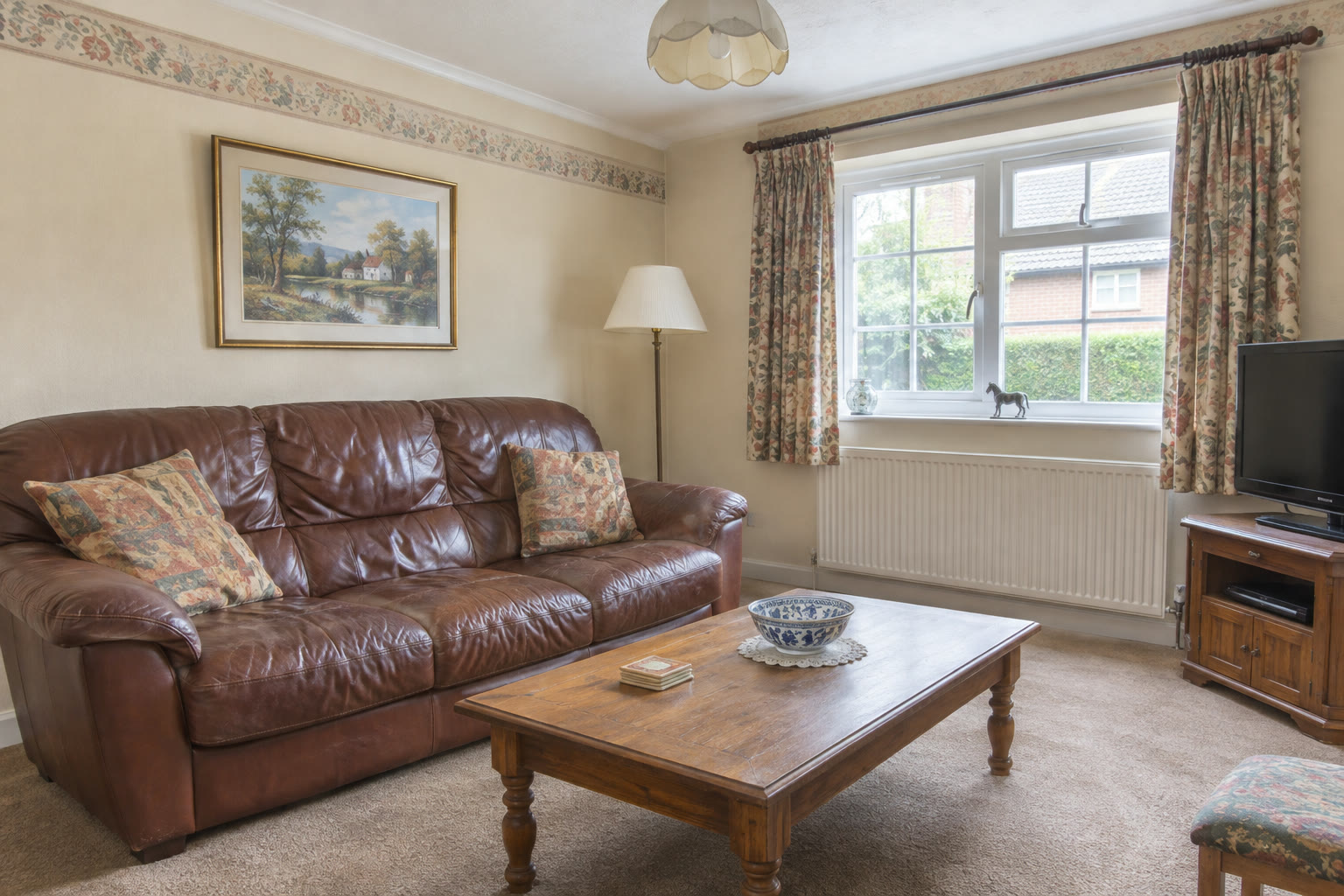
Original 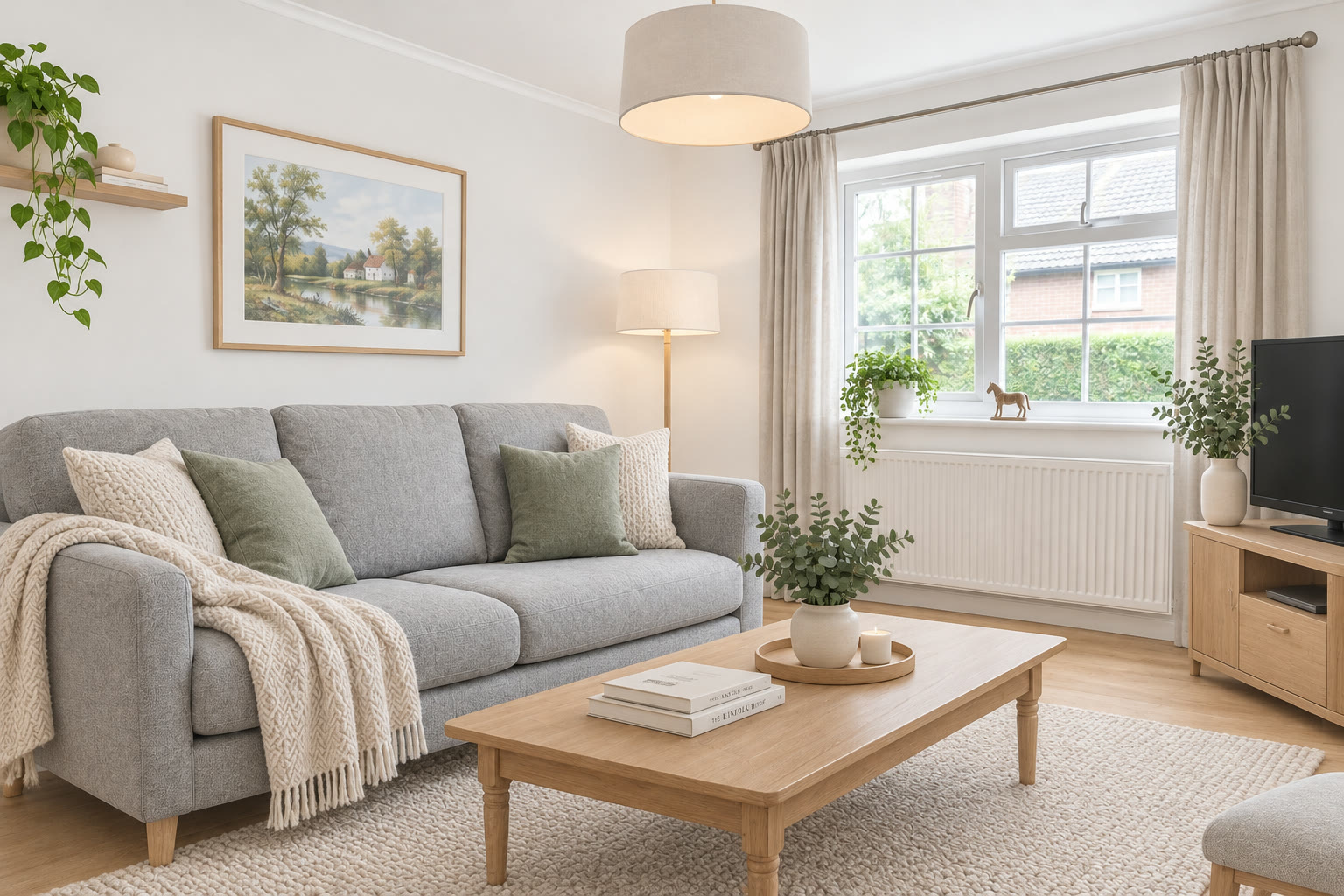
Result Living room restyled in Scandinavian style (GPT Image 2.6)
Prompt
Restyle this living room in a bright Scandinavian style: light grey fabric sofa, white walls, light oak floor, wool rug, a few plants and simple pendant lamp. Keep the room layout, window and camera angle the same.
Try GPT Image 2.6 now
Start from a ready-made prompt and see the price before you send. You sign in before your first render.
GPT Image 2.6 at a glance
- Type
- Text to image, image editing
- Resolution
- 1K, 2K, 4K
- Default
- 1K when left on Auto
- Price
- 1K: 1 credit · 2K: 4 credits · 4K: 6 credits per image
Prices are in credits and match what the composer charges. Failed or stopped renders are refunded.
Why use GPT Image 2.6
GPT Image 2.6 Flare and Sunburst
Two variants of the same model. Run one prompt on both and keep whichever result you prefer; the composer shows each one’s price.
Draft at 1K, finish at 4K
Flare at 1K costs a single credit, so you can try ideas cheaply and re-render the one you like at 2K or 4K.
Edits and follow-ups in chat
Upload an image to edit, or ask for changes to the last result. The conversation keeps earlier pictures in context.
How to create images with GPT Image 2.6
Step 1
Add a photo or describe the scene
Upload a photo with the upload button, or skip it and describe the scene in words.
Step 2
Edit the starter prompt
The prompt box starts with a ready-made GPT Image 2.6 prompt. Change the subject, setting or mood in plain words; the agent turns it into a detailed prompt.
Step 3
Pick model and resolution
GPT Image 2.6 is preselected; choose a resolution (1K, 2K or 4K) in the composer. The credit price shows before you send.
Step 4
Generate, refine and download
Send it (you will be asked to sign in first if you are not). Ask for changes in the same chat, such as a different mood or pacing, then download the version you like.
Try GPT Image 2.6 now
Before a first plan or credit pack, images carry a small watermark; buying either removes it.
GPT Image 2.6: limitations and tips
The result is a flat image, not a layered file or a 3D model.
Lettering, logos and small text can come out misspelt. Put exact words in quotes and check them before you publish.
Likeness is approximate: models keep broad features such as hair, clothing and face shape, but fine details can change, more so in stylised looks.
GPT Image 2.6: frequently asked questions
What is GPT Image 2.6?
GPT Image 2.6 is an OpenAI image model offered in AI Trend Studio as two variants, Flare and Sunburst, for generating and editing pictures at 1K, 2K or 4K.
How do I create images with GPT Image 2.6?
Open GPT Image 2.6 on AI Trend Studio, upload a photo or describe the scene in the prompt box and send it. An AI agent writes a detailed prompt from yours and renders an image at 1K, 2K or 4K; ask for changes in the same chat and download the version you like.
What is the difference between Flare and Sunburst?
They are two variants of GPT Image 2.6 that render the same prompt differently. Try both on your prompt; at 1K both cost a single credit, at 2K and 4K Sunburst costs one credit more.
Do I need to upload a photo for GPT Image 2.6?
No, a photo is optional. Upload one to keep a specific subject, or describe the scene in words and AI Trend Studio generates it from the text.
How much does GPT Image 2.6 cost?
GPT Image 2.6 on AI Trend Studio costs 1K: 1 credit, 2K: 4 credits, 4K: 6 credits per image, paid in credits from a plan or a credit pack. The exact price shows before you send, and failed or stopped renders are refunded. Before a first plan or credit pack, images carry a small watermark; buying either removes it.
Related tools and effects
- GPT Image 2Create images with GPT Image 2
- Nano Banana 2.1Create images with Nano Banana 2.1
- AI Image GeneratorGenerate an image from text
- AI Avatar GeneratorMake an AI avatar from a selfie
- MiniMax H3Make a video with MiniMax H3
- MiniMax H3 MaxMake a video with MiniMax H3 Max
- Seedance 2.5Make a video with Seedance 2.5
- Seedance 2.0Make a video with Seedance 2.0
Ready to try GPT Image 2.6?
Open the studio with a starter prompt, edit it and generate.
- Price shown before you send
- Failed renders are refunded
- Refine the result in chat